
If you’ve ever tried to promote Amazon products on Pinterest, you know the unglamorous part. You pick a product, hunt for angles, design a few pins, write descriptions, work out keywords, and then repeat the whole thing tomorrow. It isn’t hard work so much as repetitive work, and repetition is where most beginners quit.
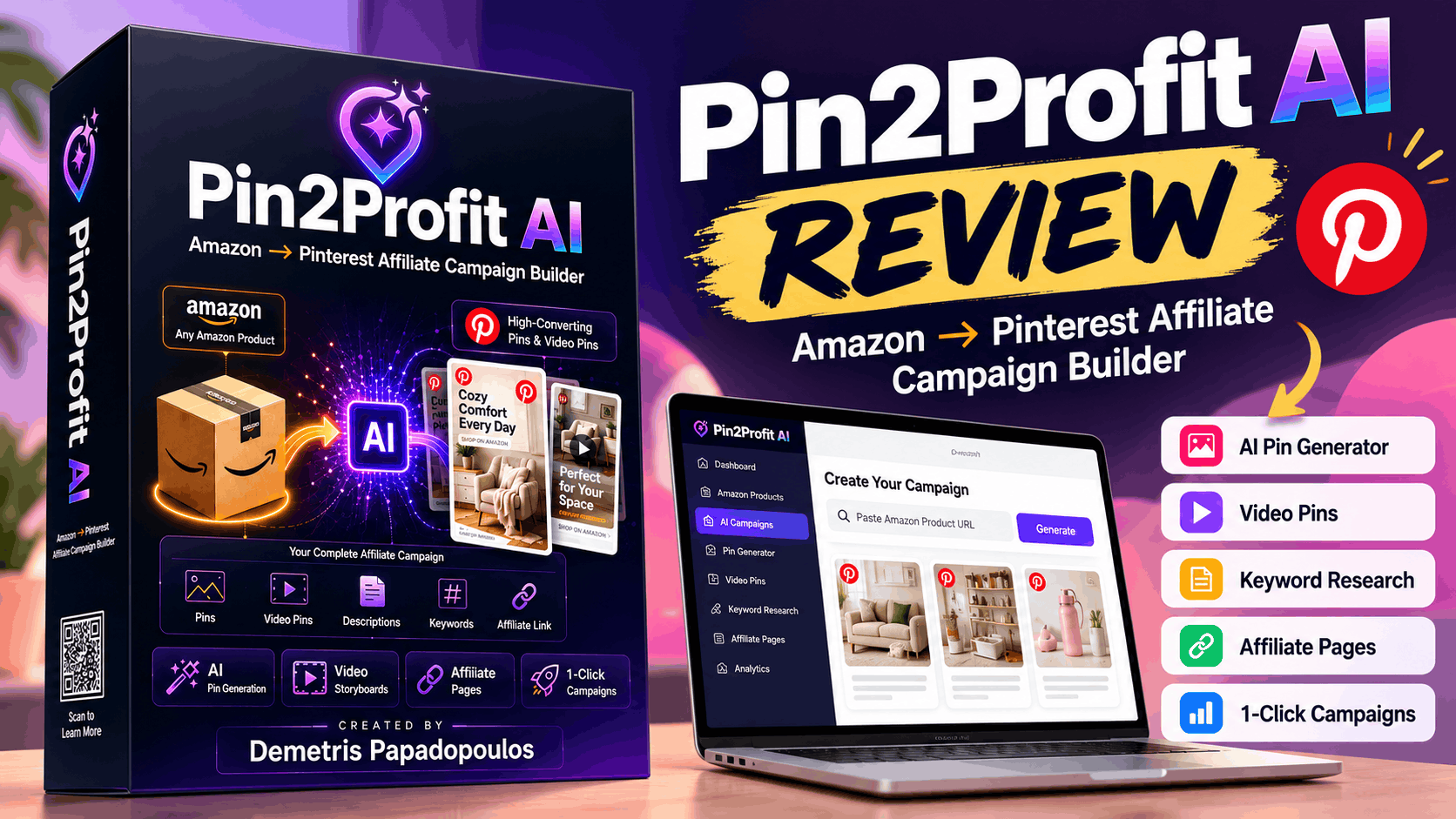
Pin2Profit AI is a WarriorPlus product that tries to compress that routine. You give it an Amazon product link, and it builds a set of Pinterest-ready assets: pin images, copy, keyword ideas, a video pin, and a supporting affiliate page.
This Pin2Profit AI review covers what the tool does, how the workflow runs, what it costs (including the upgrades), where the evidence is strong, and where it’s thin. By the end, you should know whether it fits your situation.
Check Latest Price & Features on the Official Page →
What Is Pin2Profit AI?
Pin2Profit AI is a cloud-based app that turns an Amazon product listing into a Pinterest affiliate campaign. According to the vendor, it analyzes the product, plans several promotional angles, generates pin images in multiple styles, writes headlines, descriptions and keywords, builds an affiliate landing page, and schedules pins.
Check Latest Price & Features on the Official Page →
It’s aimed at:
- Amazon Associates who struggle to produce enough content
- Beginners who want a structured way to start with Pinterest
- Bloggers and niche site owners who want another traffic source
- Freelancers who might offer Pinterest content to clients (via the Agency upgrade)
The software was created by a vendor known as dpapa (Demetris Papadopoulos, per one reviewer). The vendor says the app passed Pinterest’s developer review and connects through Pinterest’s official OAuth. I could not independently verify the approval, so treat it as a vendor claim until you confirm it.
How Does Pin2Profit AI Work?
The advertised workflow has three main stages. Here is each step, along with what you’ll still need to do yourself.
Check Latest Price & Features on the Official Page →
- Paste an Amazon product URL (or capture it with the vendor’s Chrome extension). The app pulls product details and breaks them down by audience, problem solved and benefits. You choose the product.
- Generate a campaign. The tool builds several angles, pin images, headlines, descriptions, keyword themes and an affiliate page. The vendor says this takes about five to six minutes per campaign. I haven’t timed it, so read that as a claim.
- Export or publish. You can download images, use a Pinterest-ready CSV for bulk upload, schedule pins across several days, or publish through your connected Pinterest account. You review the output, upload or approve it, and keep posting consistently.
- Monitor and optimize. You can import Pinterest analytics to see impressions, saves and outbound clicks per pin, then repeat what works. This part is entirely on you.
Manual review is needed at almost every stage: choosing products, checking AI images and copy, making sure the content follows Pinterest and Amazon rules, and deciding what to repeat.
Check Latest Price & Features on the Official Page →
Pin2Profit AI Features
Here are the advertised features, with the practical benefit of each.
Amazon Product Analyzer and AI Campaign Strategist. Breaks a product down by audience and benefits, then proposes angles such as gift, problem/solution, lifestyle, showcase, list-style, seasonal and comparison. Benefit: one product becomes several different promotional ideas instead of the same photo reposted.
AI Pinterest Pin Generator. Creates pin graphics in several styles. Image generation runs on your own Google API key, and the vendor cites 500 images per day on Google’s free tier. Benefit: no design software needed, though you’ll want to regenerate images that look busy or off-brand.
AI Video Pin Generator. Produces vertical video pins with hooks, text overlays and calls to action. Reports say the front end includes one video pin per campaign, with unlimited video in the Pro Suite upgrade. One reviewer notes video generation can run through your own provider key (Google Veo, OpenAI Sora or Replicate), which would bill you separately. Benefit: video variety, at a possible extra cost.
Check Latest Price & Features on the Official Page →
AI Pin Copywriter. Writes headlines, descriptions, CTAs and hooks. Benefit: strong first drafts. Expect to edit for voice and accuracy.
Pinterest Keyword Engine. Suggests keyword themes for pin text. A deeper keyword engine and Pinterest Trends are listed in the paid Intelligence Toolkit. Benefit: less guesswork about how people search.
Affiliate Page Builder. Builds a short content page (a “gift guide,” for example) so visitors land on something useful before the Amazon link. Benefit: better context for cold traffic than a bare affiliate link. Check Amazon’s rules on where and how links may appear.
Check Latest Price & Features on the Official Page →
One-Click Campaign Builder. Strings the steps above into a single action. Benefit: speed and consistency.
Pinterest Account Setup Assistant. Suggests a profile name, bio, board structure and a pinning plan, plus guidance on setting up Amazon Associates and Pinterest Business accounts. Benefit: helpful if you’re starting from zero.
Pinterest Trends and Analytics. Trend content (“Pinterest Predicts 2026”) is mentioned as a bonus, deeper trends sit in an upgrade, and you can import your own analytics to rank top-performing pins. Benefit: a feedback loop.
Check Latest Price & Features on the Official Page →
Scheduling and Bulk CSV Export. Reviewers describe a seven-day schedule at five pins a day, unique URL slugs, a minimum gap between pins, and a CSV for Pinterest’s bulk uploader. Benefit: steady posting without manual calendar work.
Cloud Access and AI Integrations. Browser-based, with support for your own Google, OpenAI, Anthropic and Replicate keys. Benefit: no installs, but note that bring-your-own-key means you manage those accounts and any usage costs.
Check Latest Price & Features on the Official Page →
How to Use Pin2Profit AI Step by Step
This is a beginner-friendly walkthrough based on the advertised workflow. Your actual screens may differ.
- Get your accounts ready. You’ll need an Amazon Associates account (to earn commissions) and a Pinterest Business account. Read both programs’ rules first.
- Connect your keys. Add your Google API key for image generation, and a video provider key if you plan to use video.
- Pick a product. Choose something people actually search for on Pinterest: gifts, home, kitchen, organization, seasonal items. A tool can’t fix a weak product choice.
- Paste the link and generate. Review the analysis and the angles it suggests.
- Edit before you publish. Regenerate images that look cluttered, rewrite headlines to sound like you, remove claims you can’t support, and make sure affiliate disclosures are in place.
- Export or schedule. Download the CSV for Pinterest’s bulk uploader or publish via the connected account.
- Keep going and measure. Pinterest results tend to build over weeks. Import analytics, find which pins earn saves and clicks, and make more like them.
Generated content may need editing, and results depend on your execution.
Check Latest Price & Features on the Official Page →
Pin2Profit AI Pricing and Plans
Front end: $27 one-time during the launch window. The launch began October 16, 2026, with the special price reportedly ending October 21, 2026, after which it is said to rise to $97. There is no subscription.
Reportedly included in the front end: product analyzer, campaign strategist, pin generation, copywriter, one-click campaign builder, affiliate page builder, seven-day scheduling, the account setup assistant, up to five Pinterest accounts, an asset library, analytics import, and one AI video pin per campaign.
Optional upgrades (not included in the front end):
| Upgrade | Price | Reported contents |
|---|---|---|
| Pro Suite (OTO 1) | $47 | Unlimited video pins, up to 10 Pinterest accounts, unlimited affiliate pages, automation, up to 10 pins a day |
| Intelligence Toolkit (OTO 2) | $37 | Pinterest Trends, deeper keyword engine, intelligence dashboard |
| DFY Suite (OTO 3) | $27 | Done-for-you templates, evergreen and seasonal product lists |
| Paid Ads Training (OTO 4) | $67 | Pinterest ads training, AI ad generator, one-click promote |
| Agency (OTO 5) | $97 | Client-getting training, client hub, proposals, outreach scripts |
| VIP Bundle | $247 | All five upgrades (separately they total $275, a $28 saving) |
Additional costs to consider: video generation through your own provider key may be billed by that provider, and Pinterest ad spend is separate if you ever run ads.
Check Latest Price & Features on the Official Page →
Refund policy: a 30-day money-back guarantee is reported. I haven’t verified the exact conditions, so read the refund terms on the checkout page. WarriorPlus handles refunds, and buyer experiences with refunds on the platform vary, so don’t wait until day 29 to test the product.
My take: most people don’t need everything on day one. Start with the front end. Consider Pro Suite only if you want unlimited video or more accounts. Paid Ads Training makes little sense until you have pins that already perform organically.
Check Latest Price & Features on the Official Page →
Pin2Profit AI Pros and Cons
Pros
- Combines several campaign tasks (analysis, images, copy, keywords, pages, scheduling) in one workflow.
- Generates multiple promotional angles per product, which helps avoid reposting one image.
- Image generation runs on your own Google key, so graphics may not add a recurring subscription cost.
- Affiliate pages give visitors context before an Amazon link.
- One-time front-end price rather than a monthly fee.
- Setup guidance helps true beginners.
Cons and limitations
- Generated images and copy need review and editing.
- No guaranteed Pinterest reach, clicks or sales.
- Commissions depend on purchases and Amazon Associates terms.
- Some advanced features (unlimited video, trends, deeper keywords) are paid upgrades.
- Video and other AI usage may incur costs through your own API keys.
- You need an approved Amazon Associates account and must follow Pinterest and Amazon policies.
- Reviews disagree slightly on what the front end includes for video, so confirm this before buying.
Who Should Use Pin2Profit AI?
- Amazon Associates beginners who want a structured process instead of a blank page.
- Pinterest affiliate marketers who already post but want to speed up production.
- Bloggers and niche site owners looking for a steady Pinterest traffic source.
- Content creators promoting physical products that photograph well.
- Marketers managing multiple campaigns or accounts, who may want the Pro Suite.
Who Might Not Need Pin2Profit AI?
- People who don’t plan to use Pinterest at all.
- Anyone without a relevant affiliate strategy or niche.
- Buyers expecting fast, hands-off, guaranteed income.
- People who enjoy designing and writing every pin by hand and already have a workflow that works.
- Anyone unwilling to set up Amazon Associates, Pinterest Business and API key accounts.
Pin2Profit AI vs. Manual Pinterest Affiliate Marketing
| Task | Manual approach | With Pin2Profit AI (as advertised) |
|---|---|---|
| Campaign setup | Plan angles yourself | Tool proposes several angles from a product link |
| Content creation | Design pins, write copy | AI drafts images, copy, and a video pin; you edit |
| Keyword research | Use separate tools | Keyword themes built in; deeper tools in an upgrade |
| Organization | Spreadsheets, calendars | Built-in schedule and CSV export |
| Optimization | Review Pinterest analytics manually | Analytics import ranks top pins |
| Control and originality | Full control | Faster, but outputs can look generic without editing |
The honest summary: the tool saves production time, but judgment (which product, which angle, what to repeat) stays with you.
Check Latest Price & Features on the Official Page →
Can You Make Money With Pin2Profit AI?
The software helps with content and campaign production. It does not guarantee traffic, affiliate sales or income.
Results depend on product selection, content quality, Pinterest search visibility, audience relevance and conversion rates. Amazon commissions also vary by category, and Pinterest traffic usually builds slowly.
It’s worth noting what the vendor’s own evidence shows. According to one reviewer, the vendor’s shared analytics include a newer account that reached about 175,000 impressions over four months with 145 outbound clicks, and a popcorn-maker campaign showing Amazon commissions of $0.43 in June, $2.02 in July and $42.00 in September 2026. Those are the vendor’s own accounts, not typical buyer results, and the revenue is modest. A different reviewer reports a much larger commission figure from their own test account, but I can’t verify that claim and wouldn’t plan around it.
Check Latest Price & Features on the Official Page →
Is Pin2Profit AI Legit?
Here is what the evidence supports, kept separate from what remains unverified.
Vendor claims: the app passed Pinterest’s developer review, uses official OAuth, and was built on the creator’s own accounts. The creator is described as a long-time WarriorPlus and JVZoo affiliate with a track record promoting other vendors’ products.
Check Latest Price & Features on the Official Page →
What I could verify: multiple independent sites describe a consistent feature set, price and upgrade structure, which suggests a real, working product with a defined funnel. A refund guarantee is reported.
What I could not verify: the official sales page text, Pinterest’s approval, exact refund conditions, and any large-scale buyer feedback. The product launched October 16, 2026, so genuine long-term user reviews don’t exist yet. Several “reviews” online are affiliate content, and some customer testimonials on third-party sites appear generic, so treat them cautiously. That includes mine.
Check Latest Price & Features on the Official Page →
I wouldn’t call it a scam, and I wouldn’t guarantee it either. A sensible approach is to buy the front end only, build a couple of campaigns during the refund window, and judge the output quality yourself.
Pin2Profit AI Alternatives
Rather than naming a long list of competitors I haven’t researched, here are the relevant categories:
Check Latest Price & Features on the Official Page →
- Manual creation tools (graphic design apps plus a general AI writing assistant): flexible, but you assemble the workflow yourself.
- Pinterest scheduling platforms: good for posting, but typically don’t create the pins for you.
- Keyword research tools: useful for data-led planning, separate from content creation.
- AI writing and image generators: cover single tasks, not a whole campaign.
- Other URL-to-pin tools: for example, URL2Pin, which its Capterra listing describes as converting product and blog URLs into pins with AI images, SEO copy and scheduling, with a free version available. I haven’t compared its current features or pricing in depth, so check before deciding.
Frequently Asked Questions
1. What is Pin2Profit AI?
A cloud-based tool that turns Amazon product links into Pinterest campaign assets: pins, copy, keywords, a video pin, an affiliate page and a schedule.
Check Latest Price & Features on the Official Page →
2. How much does Pin2Profit AI cost?
The front end is reportedly $27 one-time during launch (ending around October 21, 2026), rising to $97 afterward. Upgrades cost extra. Verify current pricing on the official page.
3. Is Pin2Profit AI suitable for beginners?
It’s designed for them, including setup guidance. Beginners still need to learn Pinterest basics, edit AI output, and post consistently.
4. Does Pin2Profit AI generate actual video pins?
The vendor advertises real vertical video pins rather than storyboards. Reports say the front end includes one per campaign, with unlimited video in Pro Suite. I haven’t tested the video quality.
Check Latest Price & Features on the Official Page →
5. Do I need an Amazon Associates account?
Yes, to earn commissions on Amazon products, and you must follow its program rules.
6. Does Pin2Profit AI guarantee affiliate commissions?
No. Nothing in the product guarantees traffic, sales or income.
7. Are additional AI API costs required?
Image generation reportedly uses your own Google API key, with a free tier cited. Video generation may use a provider key that bills you directly. Check each provider’s current limits and pricing.
8. Does Pin2Profit AI work with multiple Pinterest accounts?
Reportedly up to five accounts on the front end and up to ten with Pro Suite. Confirm this on the sales page, and review Pinterest’s rules on multiple accounts.
9. Is there a money-back guarantee?
A 30-day guarantee is reported. Read the exact terms at checkout.
10. Where can I buy Pin2Profit AI?
Through WarriorPlus via the official sales page: https://pin2profitai.com/sales-v2
Final Verdict: Is Pin2Profit AI Worth It?
Pin2Profit AI is best understood as a production assistant for Pinterest affiliate content, not an income machine. Its strongest use case is an Amazon Associate who has an account but not enough time or content, or a beginner who wants a structured start. The most important limitations are that outputs need editing, results aren’t guaranteed, several useful features sit behind upgrades, and the evidence of buyer results is still thin because the launch is brand new.
Check Latest Price & Features on the Official Page →
At the reported $27 launch price with a 30-day guarantee, the downside risk is small if you test it properly. If you won’t use Pinterest consistently, or expect passive income, skip it.
If you’re curious, check the latest features, price and terms on the official Pin2Profit AI sales page before you decide. Launch pricing is reportedly ending soon, so verify the current deadline rather than relying on this article.