
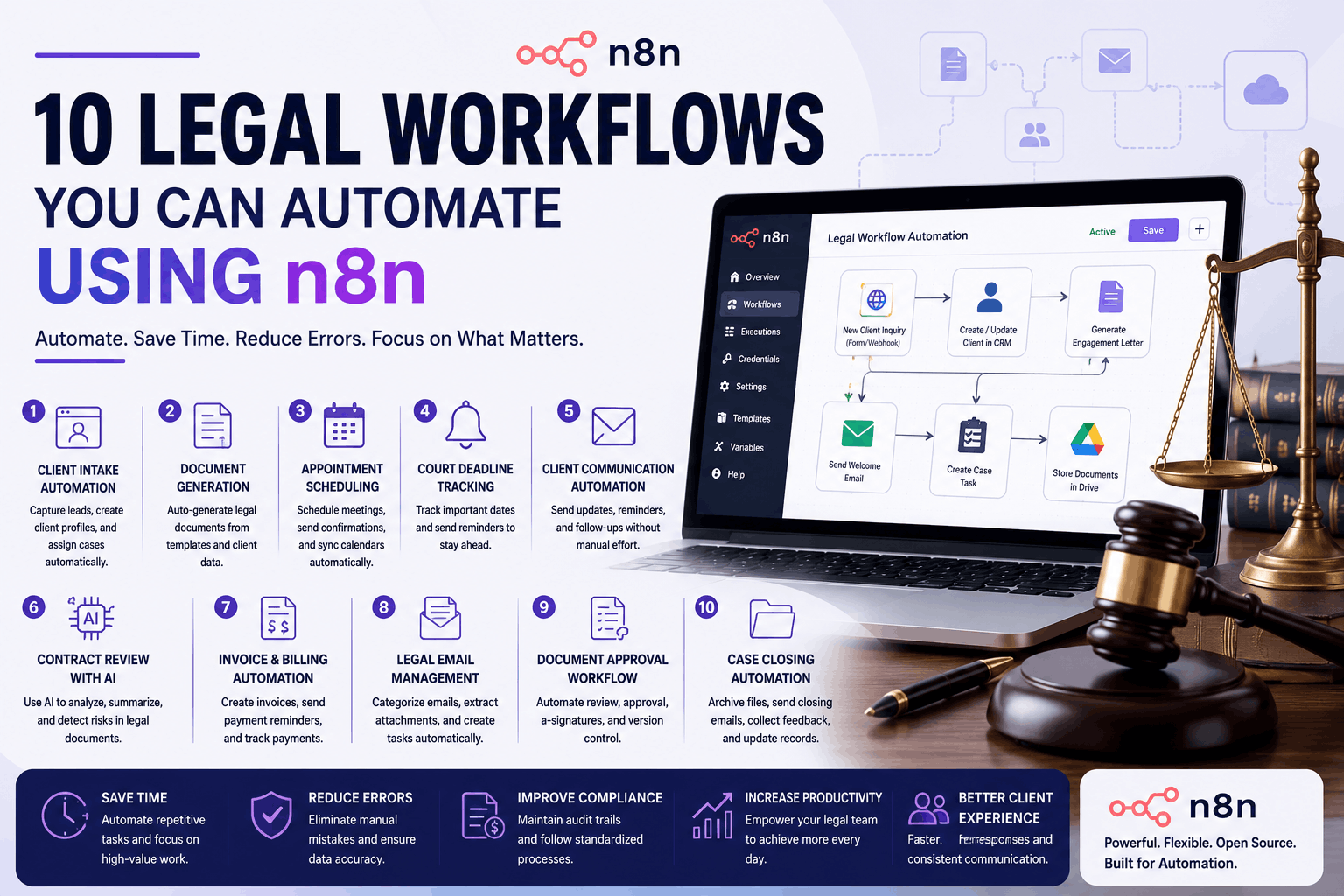
Law firms manage hundreds of repetitive tasks every week, from client intake and document preparation to deadline tracking and billing. While these processes are essential, they often consume valuable time and increase the risk of human error.
Fortunately, workflow automation platforms like n8n make it possible to automate these routine tasks without relying on expensive custom software. As an open-source, no-code/low-code automation platform, n8n allows law firms to connect their favorite tools, eliminate manual work, and improve operational efficiency.
In this guide, we’ll explore 10 legal workflows you can automate using n8n, along with the benefits and implementation ideas for each.
What Is n8n?
n8n is an open-source workflow automation platform that connects multiple applications and automates tasks between them.
Unlike traditional automation tools, n8n offers:
- Self-hosted deployment
- Advanced workflow logic
- AI integrations
- API connectivity
- Unlimited customization
- Cost-effective scaling
Law firms can use n8n to automate internal operations while maintaining complete control over sensitive legal data.
Why Law Firms Should Use n8n
Legal professionals spend a significant portion of their day performing repetitive administrative tasks.
n8n helps firms:
- Save hours every week
- Reduce manual errors
- Improve client communication
- Standardize legal processes
- Increase staff productivity
- Enhance compliance
- Connect multiple legal applications
Instead of switching between multiple systems, n8n handles everything automatically.
1. Automate Client Intake
Client onboarding is one of the first opportunities to improve efficiency.
Workflow Example
A prospective client submits an inquiry through your website.
n8n automatically:
- Captures client information
- Creates a CRM contact
- Sends a welcome email
- Assigns the case to an attorney
- Schedules an initial consultation
- Creates internal tasks
- Stores uploaded documents
Benefits
- Faster onboarding
- Better client experience
- No manual data entry
- Reduced administrative work
2. Legal Document Generation
Preparing legal documents manually takes valuable time.
With n8n, you can automatically generate:
- Engagement letters
- Contracts
- NDAs
- Affidavits
- Power of attorney forms
- Client agreements
Workflow
Client information enters your CRM.
↓
n8n populates a document template.
↓
PDF is generated automatically.
↓
Document is sent for electronic signature.
↓
Signed copy is stored in cloud storage.
Benefits
- Consistent documents
- Fewer typing mistakes
- Faster document preparation
3. Appointment Scheduling Automation
Legal assistants spend hours scheduling consultations.
Instead, n8n can connect:
- Contact forms
- Calendars
- Booking software
- SMS
- CRM
Whenever someone books a consultation, the workflow automatically:
- Confirms the appointment
- Sends reminders
- Creates calendar events
- Notifies attorneys
- Updates the CRM
4. Court Deadline Tracking
Missing court deadlines can be costly.
n8n can automate deadline management by:
- Reading case information
- Calculating legal deadlines
- Creating calendar events
- Sending reminders
- Escalating overdue tasks
Notifications can be delivered through:
- Slack
- Microsoft Teams
- SMS
5. Client Communication Automation
Clients appreciate regular updates about their cases.
Instead of manually sending emails, n8n can automatically deliver:
- Case status updates
- Document requests
- Appointment reminders
- Payment confirmations
- Consultation follow-ups
This improves client satisfaction while reducing repetitive communication.
6. Contract Review with AI
One of the most powerful n8n workflows combines automation with artificial intelligence.
Example workflow:
Upload contract
↓
AI analyzes clauses
↓
Highlights potential risks
↓
Summarizes the contract
↓
Sends report to attorney
This allows lawyers to review documents faster without replacing legal expertise.
7. Invoice and Billing Automation
Billing often involves multiple manual steps.
n8n can automate the entire process.
Workflow
Case marked as complete
↓
Generate invoice
↓
Send invoice via email
↓
Create accounting entry
↓
Track payment
↓
Send reminder if overdue
Benefits
- Faster payments
- Better cash flow
- Reduced billing errors
8. Legal Email Management
Law firms receive hundreds of emails daily.
n8n can automatically:
- Categorize emails
- Extract attachments
- Save files to cloud storage
- Create tasks
- Notify attorneys
- Update client records
Important emails never get overlooked.
9. Document Approval Workflow
Before legal documents reach clients, they usually require multiple approvals.
n8n automates this process.
Example
Document drafted
↓
Partner review
↓
Compliance approval
↓
Client approval
↓
Electronic signature
↓
Archive document
Everyone receives notifications automatically.
10. Case Closing Automation
Closing a legal matter involves several administrative tasks.
n8n can automatically:
- Archive case files
- Send closing emails
- Generate final invoices
- Request client feedback
- Update CRM status
- Store documents
- Schedule future follow-ups
Nothing gets forgotten.
Popular Apps You Can Connect with n8n
One of n8n’s biggest strengths is its ability to integrate with hundreds of business applications.
Popular integrations include:
- Google Workspace
- Microsoft 365
- Gmail
- Outlook
- Slack
- Microsoft Teams
- Google Drive
- Dropbox
- DocuSign
- HubSpot
- Salesforce
- Airtable
- Notion
- OpenAI
- Google Gemini
- Anthropic Claude
- Stripe
- QuickBooks
- Calendly
- Zoom
Using APIs, n8n can also connect with most legal practice management software.
AI-Powered Legal Automation with n8n
Modern law firms increasingly combine n8n with AI services to automate more complex tasks.
Examples include:
- Contract summarization
- Legal document classification
- Client email drafting
- Legal research assistance
- PDF data extraction
- Meeting note generation
- Intelligent case routing
AI helps reduce repetitive work while allowing lawyers to focus on strategic decision-making.
Benefits of Using n8n for Legal Workflow Automation
Save Time
Routine tasks are completed automatically, allowing legal professionals to focus on client work.
Reduce Human Errors
Automation eliminates repetitive data entry and standardizes processes.
Improve Compliance
Every workflow is documented with logs, timestamps, and approval records.
Better Client Experience
Clients receive faster responses and timely updates throughout their legal journey.
Lower Operating Costs
Automation reduces administrative overhead and minimizes manual effort.
Highly Customizable
Unlike many automation platforms, n8n supports advanced logic, custom APIs, and self-hosting, making it suitable for firms with unique workflows.
Best Practices for Implementing n8n in Law Firms
To ensure a successful rollout:
- Start with one high-impact workflow, such as client intake or appointment scheduling.
- Document your existing processes before automating them.
- Use standardized templates for legal documents.
- Test workflows thoroughly before deploying them.
- Protect client data with secure authentication and role-based access controls.
- Regularly review and optimize workflows as your firm grows.
A phased approach helps teams adapt while delivering quick wins.
Real-World Example
Imagine a new client submits a consultation request through your website.
Within seconds, n8n can:
- Capture the client’s information.
- Create a CRM record.
- Perform a conflict check.
- Schedule a consultation.
- Send a confirmation email.
- Generate an engagement letter.
- Notify the assigned attorney.
- Create internal tasks.
- Store all documents in cloud storage.
- Log every action for compliance.
What once required multiple staff members and up to an hour of work is now completed automatically.
Future of Legal Workflow Automation with n8n
As AI and automation technologies continue to evolve, n8n will play an even greater role in legal operations.
Future possibilities include:
- AI-powered legal assistants
- Predictive case management
- Voice-based workflow automation
- Intelligent document analysis
- Automated compliance monitoring
- Real-time legal reporting
Law firms that adopt automation today will be better equipped to improve efficiency, reduce costs, and deliver exceptional client experiences.
Conclusion
Legal workflow automation is transforming the way law firms operate, and n8n provides a flexible, cost-effective platform to make that transformation possible. From client intake and document generation to deadline tracking, billing, and AI-assisted contract review, n8n can automate many of the repetitive tasks that consume valuable time.
By implementing these 10 workflows, law firms can reduce human errors, improve compliance, enhance client satisfaction, and allow legal professionals to focus on the work that truly requires their expertise. Whether you’re a solo practitioner or a growing legal practice, investing in n8n automation is a smart step toward building a more efficient and future-ready law firm.
Frequently Asked Questions (FAQs)
1. What is n8n, and why is it suitable for law firms?
n8n is an open-source workflow automation platform that connects apps, APIs, and AI tools to automate repetitive tasks. Its flexibility, self-hosting option, and advanced workflow logic make it ideal for law firms handling sensitive client data.
2. Can n8n integrate with legal practice management software?
Yes. n8n can integrate with many legal platforms through APIs, webhooks, and built-in connectors, allowing you to automate workflows across your existing systems.
3. Is n8n secure enough for legal workflows?
Yes, when properly configured. Self-hosting, encrypted connections, secure authentication, role-based access controls, and audit logs help law firms maintain data security and compliance.
4. What legal tasks are best to automate first?
Start with high-impact tasks such as client intake, appointment scheduling, document generation, email follow-ups, billing, and court deadline reminders.
5. Can n8n work with AI tools like OpenAI or Google Gemini?
Absolutely. n8n integrates with leading AI services to automate tasks such as contract summarization, legal research assistance, document classification, and client communication, making workflows even more efficient.