
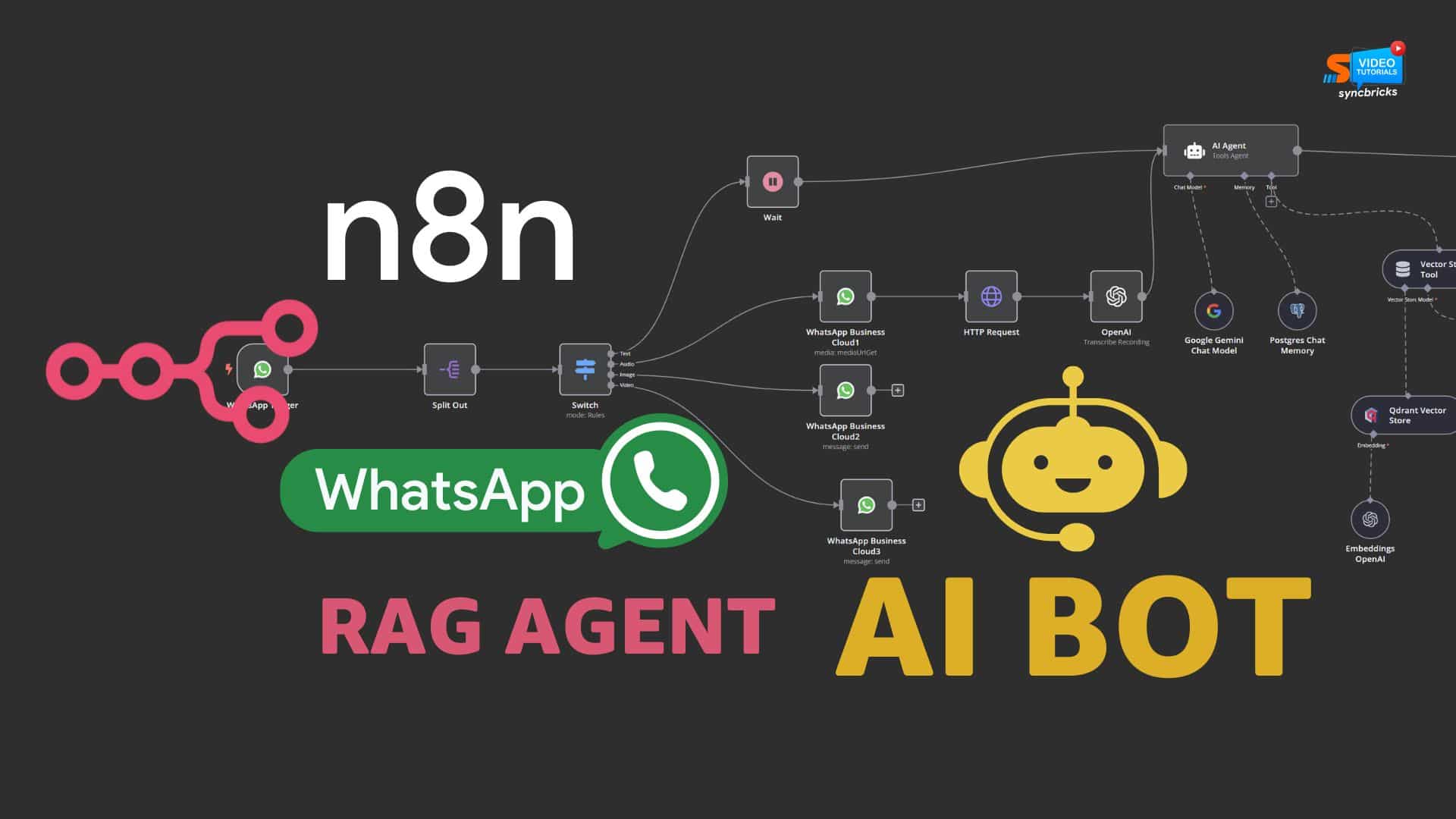
Automation is no longer optional—especially if you’re handling customer queries, leads, or support messages daily. With tools like n8n and AI, you can build a powerful WhatsApp bot that responds instantly, saves time, and improves conversions.
In this guide, you’ll learn how to create a WhatsApp AI bot using n8n, step by step—without heavy coding.
What Is an n8n WhatsApp AI Bot?
An n8n WhatsApp AI bot is an automated system that:
- Receives messages from WhatsApp
- Processes them using AI like OpenAI
- Sends intelligent replies automatically
This setup works 24/7 and can handle customer support, lead qualification, appointment booking, and FAQs.
Tools You’ll Need
Before getting started, make sure you have:
- n8n (self-hosted or cloud)
- WhatsApp Business API (via Twilio or Meta)
- OpenAI API key
- A server (VPS, Docker, or cloud hosting)
Optional tools include Google Sheets, Airtable, or a CRM system.
Step 1: Set Up n8n
Install n8n on your server using Docker, npm, or cloud hosting.
After installation:
- Open your n8n dashboard
- Create a new workflow
Step 2: Connect WhatsApp API
To send and receive messages, connect a WhatsApp Business API provider such as Twilio or Meta.
Workflow structure:
- User sends message → WhatsApp API
- API triggers webhook → n8n
- n8n processes → sends response
In n8n:
- Add a Webhook node
- Copy the webhook URL
- Paste it into your WhatsApp API configuration
Step 3: Connect AI (OpenAI)
Now integrate AI to generate responses.
In n8n:
- Add an HTTP Request node or OpenAI node
- Connect to OpenAI API
- Configure your prompt
Example prompt:
User message: {{$json[“body”]}}
Step 4: Build the Workflow
Your workflow should include:
- Webhook node (receives message)
- Set node (extracts user input)
- OpenAI node (generates response)
- HTTP Request node (sends reply back to WhatsApp)
Step 5: Test Your Bot
Test your workflow by sending a message via WhatsApp.
Check:
- n8n execution logs
- API responses
- Message delivery
Fix any issues like webhook errors or incorrect JSON formatting before deployment.
Advanced Features You Can Add
You can enhance your bot with:
- Lead capture using Google Sheets or CRM
- Smart AI responses trained on your business data
- Multi-step conversations using conditional nodes
- Appointment booking integrations like Calendly
Real Use Cases
Businesses use n8n WhatsApp bots for:
- Real estate inquiries
- E-commerce support
- Agency lead qualification
- Local business automation
Best Practices
- Keep responses short and relevant
- Add fallback replies for unknown queries
- Secure your webhook endpoints
- Regularly monitor workflow logs
Benefits of Using n8n
- Flexible no-code/low-code automation
- Cost-effective compared to tools like Zapier
- Full control with self-hosting
- Easy AI integration
- Scalable workflows
Hire n8n Developer
If you want to build a powerful WhatsApp AI bot without wasting time on setup and errors, working with an experienced developer can save you weeks of effort.
At Apptag Solution, we help businesses automate workflows, integrate AI, and build scalable systems using n8n.
Our services include:
- Custom n8n workflow development
- WhatsApp API integration
- AI automation using OpenAI
- CRM and lead automation systems
- Ongoing support and optimization
Whether you are a startup or an established business, we can design automation tailored to your needs.
Contact us today to hire an n8n developer and start automating your business processes.
FAQs
Is n8n free to use?
Yes, n8n is open-source if self-hosted.
Do I need coding skills?
No, basic workflow understanding is enough.
Is WhatsApp API free?
No, providers like Meta or Twilio charge per conversation.
Can I use ChatGPT with n8n?
Yes, through OpenAI API integration.
Is this suitable for small businesses?
Yes, it is ideal for automating communication and saving time.